
The short answer. Most massage booking software is built for your practice, where one client books one appointment with you. An office chair massage day is different: everyone at one company who wants a massage shares one set of slots at one address, and the office organizer needs it to be easy. Keep your practice software for table clients, and for office work use a tool made for on-site days, like Onsite Days, the tool we built for this. It's free to start.
We've run chair massage days at offices in the UK since 2017. Ordinary appointment software never quite fit them, so we built our own tool. This is what we learned about choosing massage booking software for on-site days.
Why practice software and office days don't fit
Most massage scheduling software assumes one client picks a service and a time, and often pays as they book. That's right for your practice and your mobile table clients.
An office day turns it around:
- The company books you, then its staff each pick a slot on one day at one address.
- Slots are whatever length you set, usually 15 or 20 minutes, with your breaks built in.
- Nobody wants an account or a card on file, because the company is paying.
- The organizer wants to see how bookings are going.
What we used before
Our first office days ran on a paper sign-up sheet, which fell apart as soon as people started swapping and canceling. We wrote about it in our guide to SignUpGenius alternatives.
So we moved to Acuity. It's a good tool, but when we used it there was no waiting list, so a canceled slot sat empty. It also wasn't built for chair massage days, so every office needed its own setup. That's when we built Onsite Days.
On a typical day, one or two people who'd booked didn't cancel and just didn't show up. Reminders, an easy cancel link and a waiting list are there to cut that.
Questions to ask before you choose
- One link per office that stays the same? Shared once, it works for every visit.
- Booking without an account or card? Every extra step means fewer bookings.
- Your own schedule? Your session length and breaks.
- Short pre-massage questions? Answered before anyone sits down.
- Cancel link, reminders and a waiting list? So a canceled slot goes to someone else.
- Your name on the page? Not the software company's, and not ads.
- A view for the organizer? Seeing who's booked saves you a lot of emails.
- The cost for how you work? Per-staff pricing adds up for an agency. For what to charge, see chair massage prices in the US.
Appointment tools compared
Good tools for what they were made for. Free sign-up sheets have their own guide.
Onsite Days is our own tool, so we've put it first. The others are described from their own websites.
| Tool | Made for | For an office day | Cost |
|---|---|---|---|
| Made for office days Onsite Days | On-site chair massage days, solo or agency | One link per office, waiting list, client view. Doesn't take card payments | Free; paid from US$15 a month |
| Acuity Scheduling | One-to-one appointments, and group classes | A separate appointment type per office. Waiting list from Standard; hiding the Acuity branding needs Premium | From $16 a month billed yearly ($20 monthly), 7-day trial |
| Square Appointments | Solo professionals and salons taking payments | Built around clients paying for themselves. Waiting list on Plus | Free plan; Plus $49 a month per location |
| Setmore | Appointments for small teams | Group classes and email reminders on the free plan; removing its branding needs Pro | Free for up to 4 users; Pro from $5 a user a month billed yearly |
| Microsoft Bookings | Businesses on Microsoft 365 | Group services let several people book one time | Included in Microsoft 365 Business Basic and up |
All prices are in US dollars.
Acuity Scheduling. Every plan has email reminders and intake forms. The waitlist and text reminders start on Standard ($27 a month billed yearly), and hiding the "Powered by Acuity Scheduling" footer needs Premium ($55) (Acuity pricing). It does group classes (Acuity help), but a class is one time for many people, and an office day is many short slots for one person each.
Square Appointments. The free plan is "for solo professionals taking payments and managing schedules" (Square), so it suits clients paying for themselves. Setmore has a generous free plan for up to four users (Setmore pricing).
Microsoft Bookings. It comes with business plans such as Microsoft 365 Business Basic, Standard and Premium (Microsoft Learn). Its group services let "one staff member" meet "multiple customers at the same time" (Microsoft Learn).
Massage practice software
These run a whole practice, and we haven't used them ourselves.
Onsite Days is our own tool, so we've put it first. The others are described from their own websites.
| Tool | Made for | Starting price | Worth knowing for office days |
|---|---|---|---|
| Made for office days Onsite Days | On-site chair massage days | Free; paid from US$15 a month | Works alongside your practice software, just for office days |
| MassageBook | Massage therapists and clinics | $29 a month (discounts for AMTA and ABMP members), 30-day trial | Outcall booking for mobile work at the client's address |
| Jane | Health and wellness clinics | $59 a month (up to 20 appointments a month), no free trial | Group appointments and classes on every plan |
| Noterro | Allied health practitioners | $33 a month, or $28.05 a month billed yearly, 14-day trial | Classes, and mobile practice tools from the Plus plan |
| ClinicSense | Originally solo massage therapists | $39 a month, or $35.75 a month billed yearly, 14-day trial | Booking made for one-to-one appointments |
All prices are in US dollars.
Some handle mobile work. MassageBook's outcall booking shows clients only therapists who travel to their address (MassageBook), and Noterro lets you "set service areas, manage travel time" (Noterro). That's for one person's home; none of these describes a day of slots at a company's office.
If you already use one for your practice, keep it for table clients.
Using two tools side by side
What works for most therapists we talk to: practice software for the practice, and a separate tool for office days.
The usual tip is to block out office days in your practice calendar by hand. Onsite Days gives you a private calendar link, so your visit days appear in your own Google, Outlook or iPhone calendar and update by themselves (calendar apps can take up to a day to catch up). If your practice software checks that calendar for busy times, it can block those days for you.
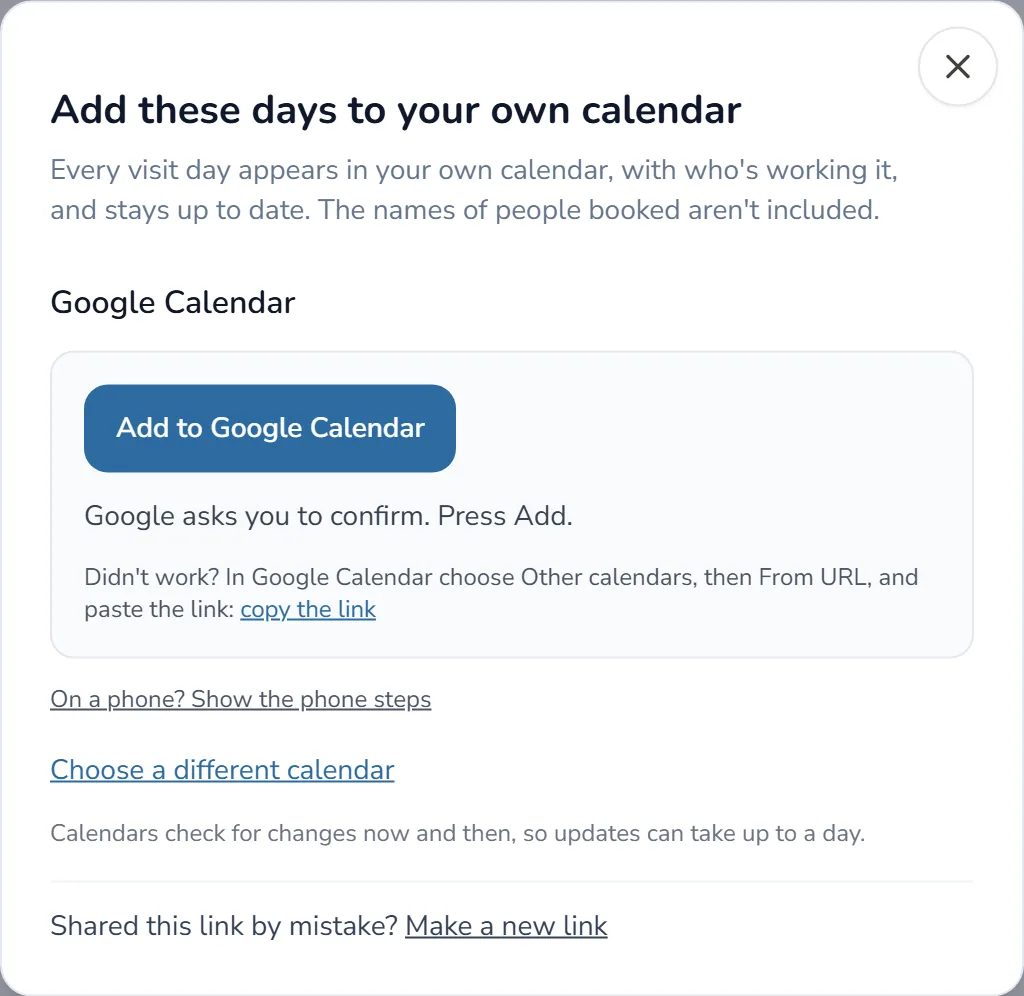
How Onsite Days handles an office day
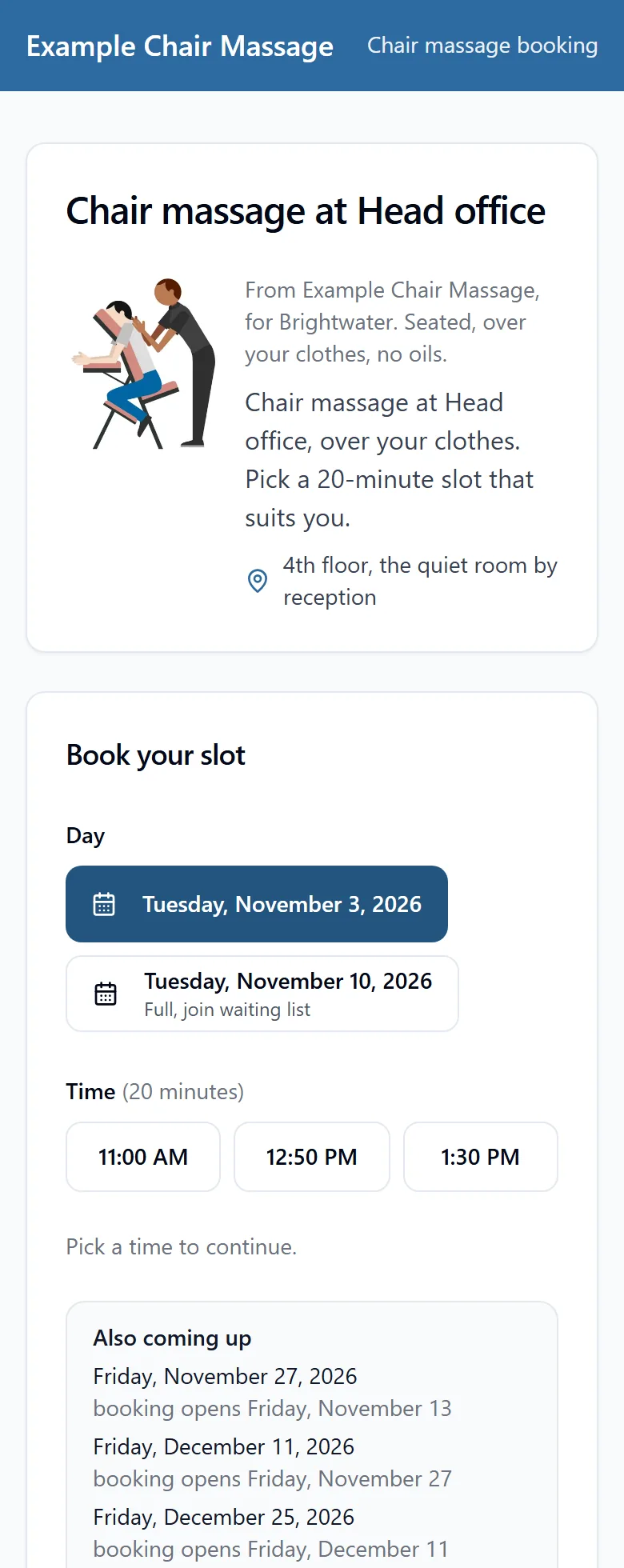
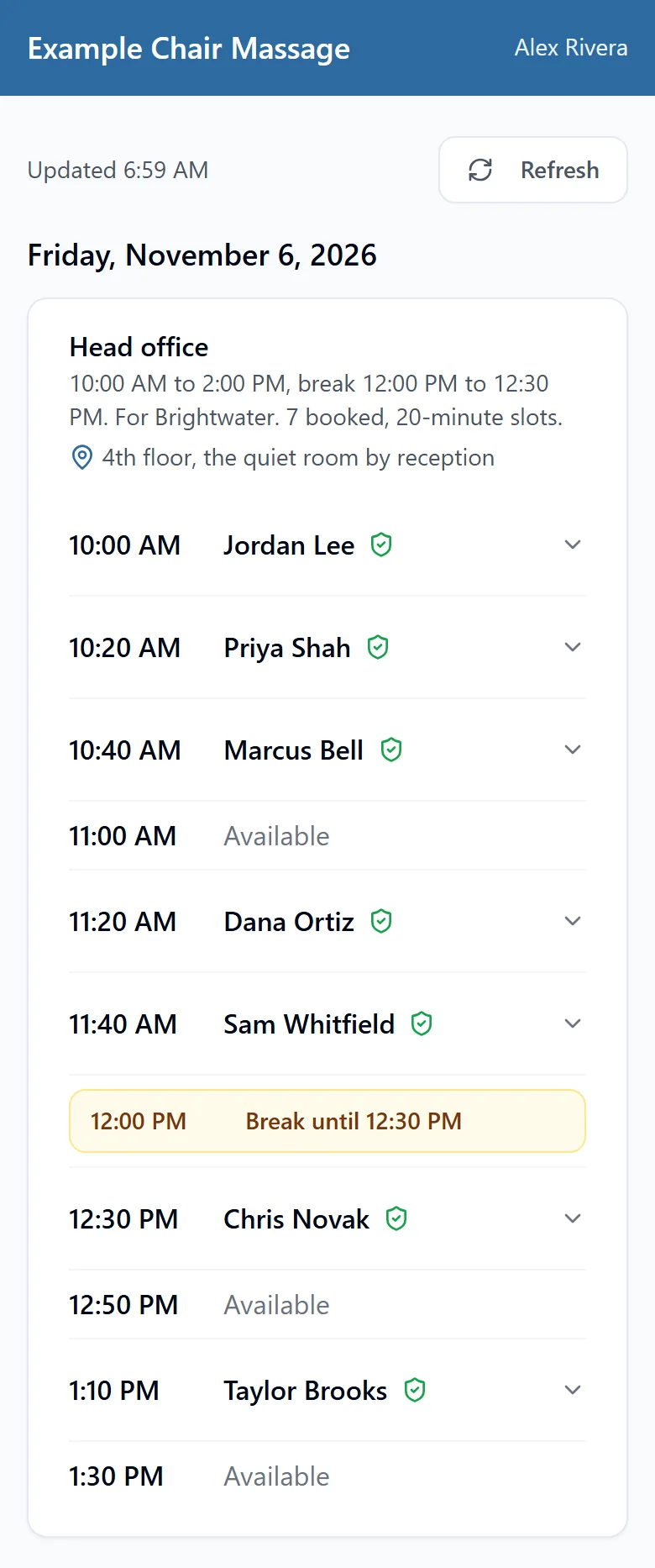
An example account. The business, the company and the people are all made up.
- One link per office, the same for every visit. Repeat sets up a regular day for months ahead.
- Your schedule. Slots of whatever length you set. For example, one therapist with 15-minute slots sees about 24 people in six hours of massage, with your breaks on top. For how to pace a long day, see self care for massage therapists.
- Pre-massage questions answered as people book, plus pick-from-a-list questions such as "Which department are you in?", with the answers in your booking spreadsheet.
- Easy changes. People change or cancel their own slot, and you can move someone and email them the new time.
- On the paid plans: reminders at times you choose, a waiting list, your logo and color, a client report and the client view. The organizers we work with find that view really useful: they see who's booked and which slots still need filling.
It doesn't take card payments, so you invoice the company as you do now, and reminders go by email only. Free covers one office and one day a month. Free booking pages carry a small "Made with Onsite Days" line; paid plans don't. Solo is US$15 a month, Team US$35 and Business US$69 (pricing).
Common questions
Can I use Acuity for a chair massage event?
Yes, for a one-off event: set up an appointment type or class for that company and send its link. For offices you visit regularly, Onsite Days gives each office one link that stays the same, plus a waiting list and your logo from US$15 a month. It's free to start.
Do I need separate software for corporate chair massage?
Not for one or two events a year. Once office days are regular, a tool made for them, such as Onsite Days, usually saves time, and it's free to try on a real day. Comparing free sign-up tools first? See our SignUpGenius alternatives.
How do I cut no-shows?
Make canceling easier than not showing up: a cancel link in every confirmation, a reminder, and a waiting list. We can't promise a number, but that's what we built in to bring it down.
Sources
Prices are in US dollars and change often, so check before you choose. Onsite Days isn't affiliated with Acuity Scheduling, Square, Setmore, Microsoft, SignUpGenius, MassageBook, Jane, Noterro or ClinicSense. Plans, prices and features are from each company's own website on October 31, 2026.
- Acuity Scheduling: Pricing plans and features
- Acuity Scheduling help: Creating and editing group classes
- Square: Appointments pricing and plans
- Setmore: Pricing for appointment scheduling software
- Microsoft Learn: Microsoft Bookings
- Microsoft Learn: How to create personalized and group services in Microsoft Bookings
- MassageBook: Pricing for massage therapists
- MassageBook: Mobile massage outcall booking
- Jane: Pricing
- Noterro: Practice management software pricing
- Noterro: Practice management software for allied health
- ClinicSense: Pricing, and ClinicSense: Massage therapy software