
The short answer. SignUpGenius is fine for a one-off chair massage day, and the free plan sends confirmations and reminders. It creaks once you visit the same offices regularly: free sign-ups show ads, the pricing table lists no custom questions on Free, and a waiting list needs Gold. For regular office days, a tool made for them, like Onsite Days, the tool we built for this, fits better, and it's free to start.
Since 2017 we've filled office chair massage schedules in the UK just about every way there is. Many therapists who do office work start out with SignUpGenius. Here's what it does well, where it falls short for chair massage days, and what works better.
Why therapists use SignUpGenius
It does the basics for nothing. The free plan has time slots and sends automatic confirmation and reminder emails (SignUpGenius pricing). Office managers know it from bake sales and potlucks, so nobody needs to be shown how it works.
Where our own sign-up sheet went wrong
Before any software, we used a sign-up sheet. It was fine until people wanted to swap or cancel. Names got crossed out, someone moved to a later slot without saying, and by the morning we weren't sure who was coming when. If a sheet still suits a small office, our free chair massage sign-up sheet has the breaks and a waiting list built in.
Most days, a name or two on the sheet never showed up, with no word beforehand. With nobody waiting, those slots were lost. An online sheet fixes the crossing out; whether it fixes the rest depends on the tool.
Where SignUpGenius creaks
It's made for volunteer schedules and events, not regular massage days at a client's office.
- Ads on your client's page. "Ads may be visible to people signing up through a free account sign up" (SignUpGenius). Silver makes 1 sign-up ad-free and Gold 10; only Platinum, at $44.99 a month billed yearly, removes ads from every sign-up (SignUpGenius pricing).
- Custom questions are a paid feature. The pricing table lists none on Free; Silver ($8.99 a month billed yearly) gives you two, Gold five. Without them, your pre-massage questions get asked in the chair.
- A waiting list needs Gold, at $22.49 a month billed yearly. Without one, a canceled slot stays empty.
- Its name, not yours. Paid plans let you add a logo, but removing the SignUpGenius brand is Enterprise only.
The alternatives, compared
Comparing full practice software such as MassageBook or Jane too? See massage booking software for office days.
Onsite Days is our own tool, so we've put it first. The others are described from their own websites.
| Tool | Good for | Watch out for | Cost |
|---|---|---|---|
| Made for office days Onsite Days | Regular office days, solo therapists and agencies | Only for on-site days; no card payments; reminders on paid plans; a small "Made with Onsite Days" line on Free | Free, or from US$15 a month |
| SignUpGenius | One-off days, offices that already use it | Ads on free sign-ups, custom questions on paid plans, waiting list from Gold | Free, or $8.99 to $44.99 a month billed yearly |
| SignUp.com | School, sports and volunteer groups | Made for groups and volunteering; ad-free is a separate upgrade | Free; paid from $99.99 a year |
| Doodle | Finding a meeting time, simple sign-up sheets | The free plan has three basic sign-up sheets; "no ads" is a paid feature | Free; Pro $15 a month or $132 a year |
| Google Forms or a shared sheet | A small team you know well | Anyone can type over a name in a shared sheet, and you send reminders yourself | Free |
| Setmore | Appointments for a small team | Built around services and appointments; removing its branding needs Pro | Free for up to 4 users; Pro from $5 a user a month billed yearly |
| Acuity Scheduling | One-to-one clients at your practice | A separate appointment type per office; waiting list from Standard | From $16 a month billed yearly |
| Microsoft Bookings | Businesses already on Microsoft 365 | Needs a business Microsoft 365 plan; built around your own services and staff | Included in Microsoft 365 Business Basic and up |
All prices are in US dollars.
Appointment apps. After the paper sheet, we ran our office days on Acuity for a while. It cleared up the crossings-out, but at the time it had no waiting list, and each new office meant setting it up again.
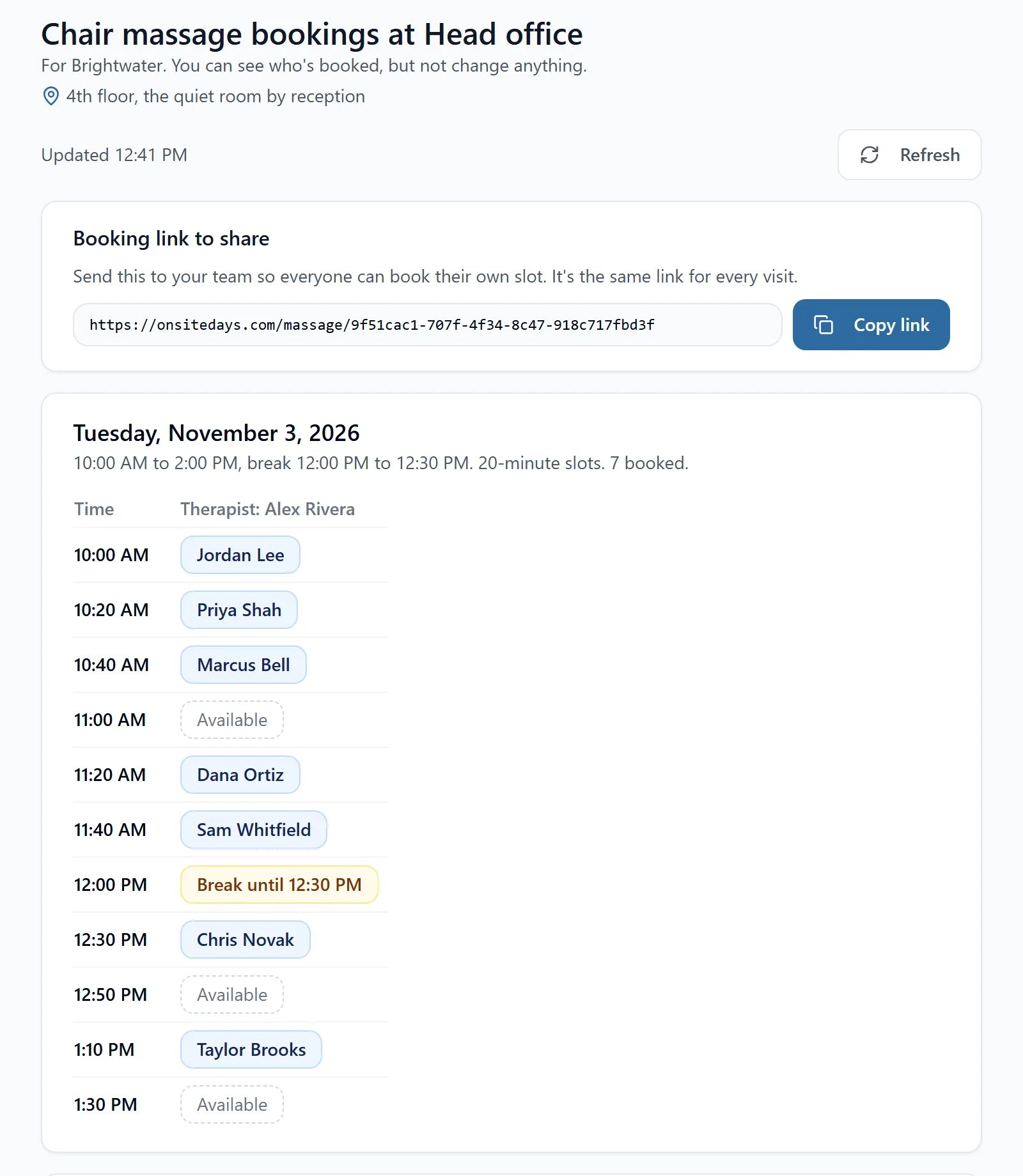
Onsite Days. We built it for exactly this:
- A booking link for each office that never changes, and Repeat for regular days.
- Your own session length, usually 15 or 20 minutes, and breaks nobody can book.
- No account to book, pre-massage questions, and pick-from-a-list questions such as "Which department are you in?".
- The list on your phone, and your visit days in your own Google, Outlook or iPhone calendar.
Free covers one office and one day a month. Solo (US$15 a month) adds reminders, the waiting list, the client view, your logo and a client report; Team and Business are for agencies. See pricing, and for your own rates, chair massage prices in the US.
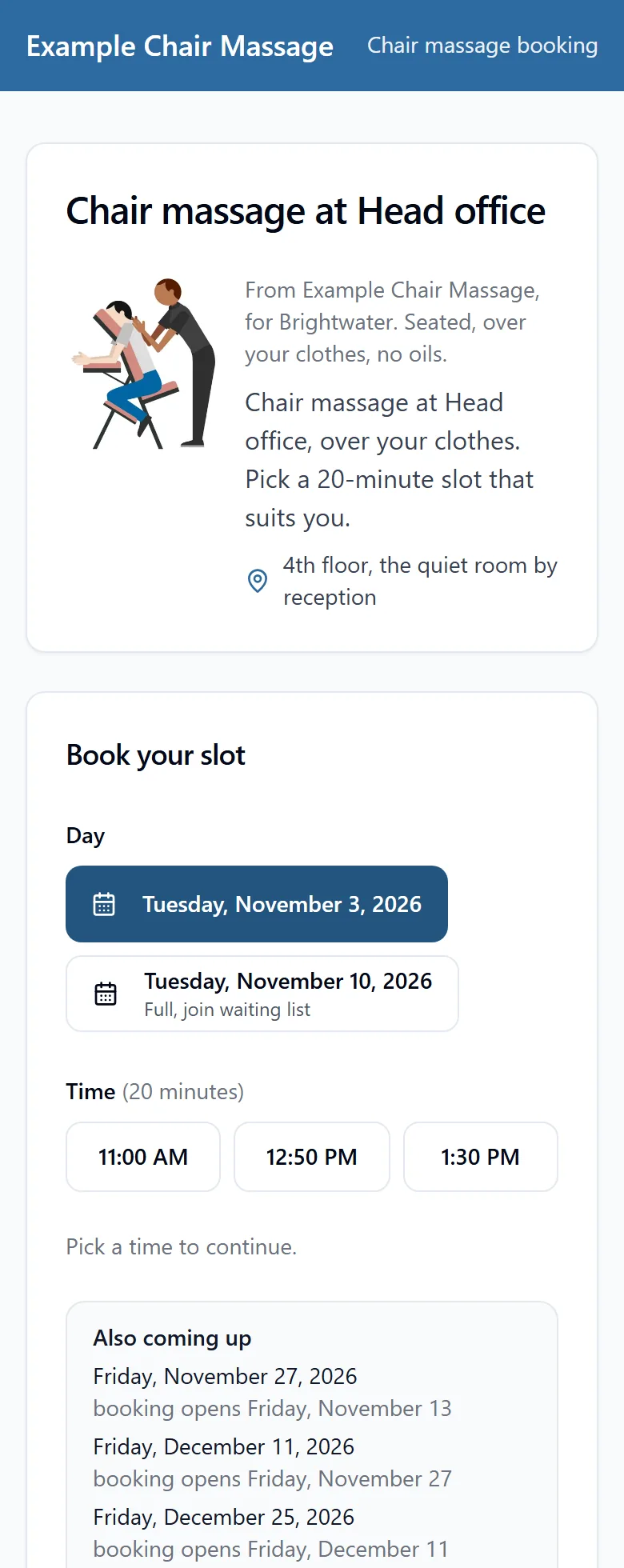
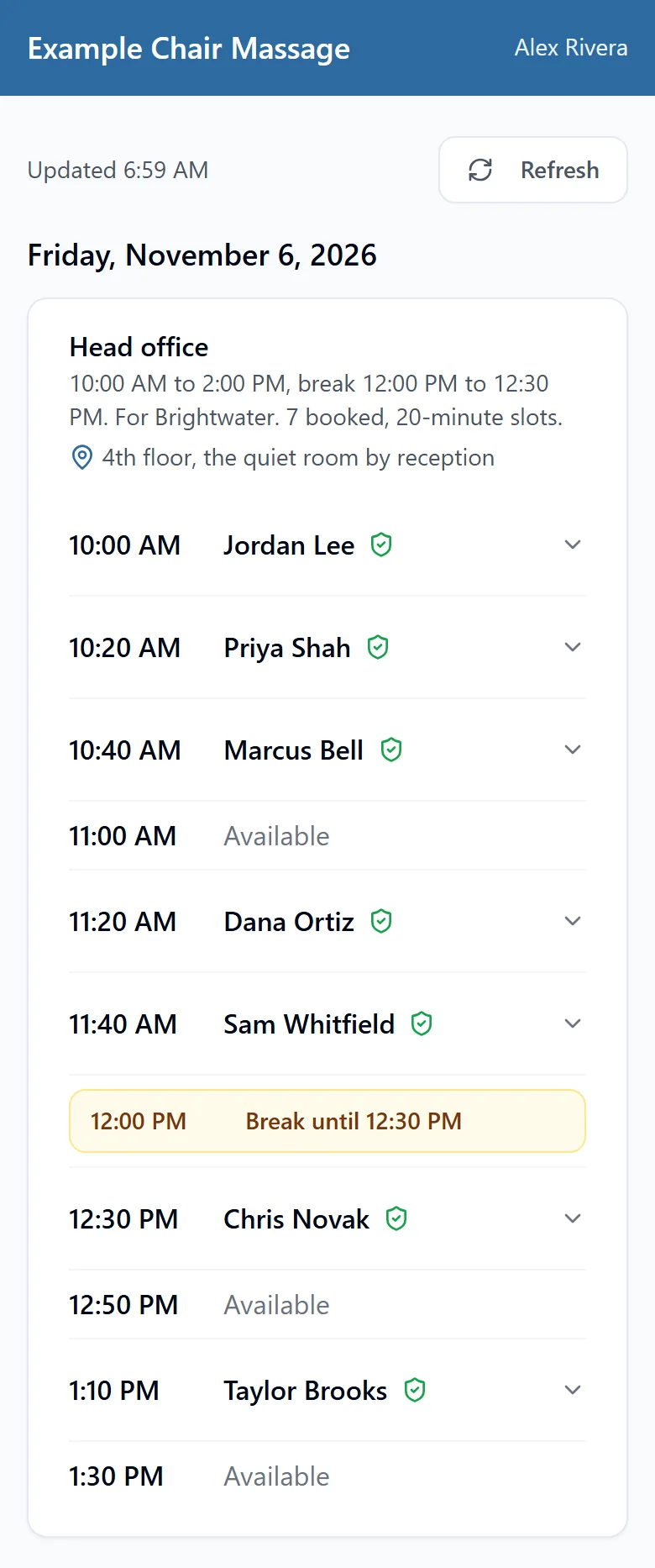
An example account. The business, the company and the people are all made up.
When SignUpGenius is all you need
If you do one event a year, or the office already pays for SignUpGenius and wants to run the sheet, there's no reason to change.
Once office days are regular, a tool built for them saves time and makes you look like the professional supplier you are. Our guide on organizing bookings for an office chair massage day covers the day itself.
Switching before your next office day
- Pick one office with a day coming up. The Free plan covers it.
- Add the day with your session length and breaks, and check your questions.
- Send your contact the link. Add anyone already on SignUpGenius yourself.
- Afterwards, ask your contact how it felt from their side.
Sources
Onsite Days isn't affiliated with SignUpGenius. Plans and prices are from SignUpGenius's website on October 31, 2026. Onsite Days isn't affiliated with SignUp.com, Doodle, Setmore, Acuity Scheduling or Microsoft either, and their plans and prices are from their own websites on the same day. Prices are in US dollars and may change.
- SignUpGenius: Pricing
- SignUpGenius: Why SignUpGenius has ads and how to remove them
- SignUp.com: Pricing, and SignUp.com: What's included in SignUp's premium plans?
- Doodle: Premium and free packages, and Doodle help: How much does Doodle cost?
- Setmore: Pricing for appointment scheduling software
- Acuity Scheduling: Pricing plans and features
- Microsoft Learn: Microsoft Bookings