Booking software for chair massage days
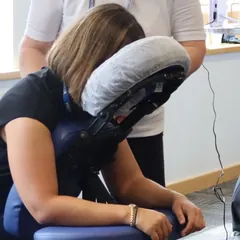
Your massage is professional, but is your booking system?
Spreadsheets and email chains can make a great therapist look like an amateur. Send every office one booking link: everyone picks their own slot, and you see who's coming.
Try it free for 30 days, no card needed. Set up a day in two minutes. Paid plans from £12 a month. See the plans.
Built by someone who's run office chair massage days since 2017. About us
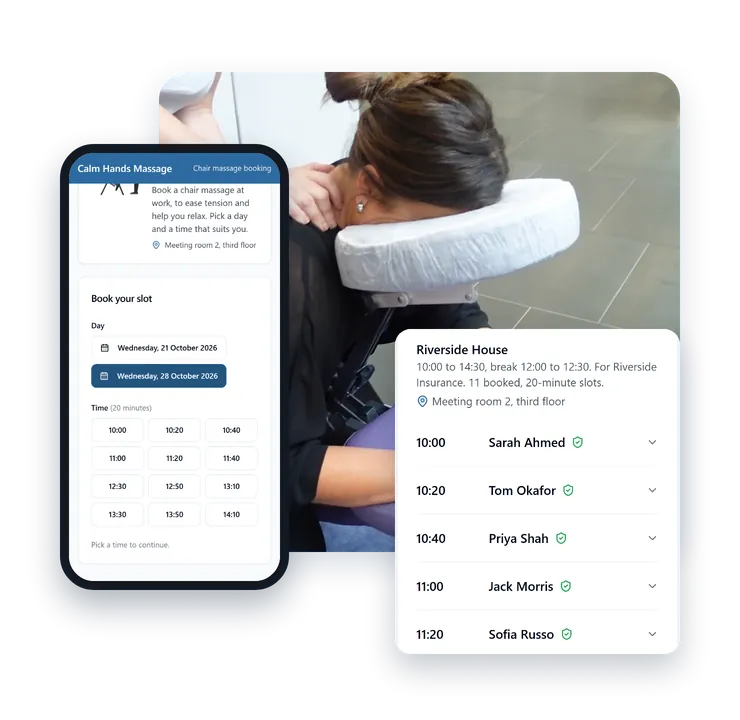
See a massage day come together
From setting up the day to your own logo and colour, with real Onsite Days screens. 1 minute
Ready to run your next massage day the easy way?
Free to start. No card needed. Set up your first day in minutes.
Start freeThree steps, and most of the work isn't yours
Onsite Days handles the sign-up sheet, the confirmations, the reminders and the report (if you want one). You turn up and do the day.
Client, date, times, slot length, how many therapists. Add several dates at once with the same times.
About two minutesYour client contact shares it. People pick a slot, answer your pre-massage questions and get a confirmation with a link to change or cancel. Reminders at times you choose, and your logo and colour, come with the paid plans.
Nobody needs to email youYour phone page shows who's booked. On the paid plans, send your client a report afterwards.
No chasing, no spreadsheetRunning a team of therapists?
Onsite Days works for agencies too.
Team covers up to 20 therapists for £29 a month, and Business up to 40 for £59. See the plans
- Every therapist gets their own phone page, showing just their bookings.
- Choose who works where: pick the therapists for each client site.
- Every client on one calendar, each site in its own colour.
- Your logo and colour on booking pages and emails.
- A view-only link for your client, so they can see who's booked.
See it work
This is how the booking page and the day page work, with made-up names. Book a slot and watch it land.
What someone booking sees Demo
Chair massage at Riverside House
On-site chair massage from Calm Hands Massage, for Riverside Insurance. Seated, over your clothes, no oils.
You’re booked
A confirmation is on its way to . If it hasn’t arrived in a few minutes, check your junk folder.
Need to change or cancel? Use the button below, or the link in your confirmation email. Please do, so someone else can have the slot.
In the real tool this opens your booking page, where you can move or cancel the slot. The demo stops here.
What you see: your day page Demo
| Time | Therapist: Amira | Therapist: Ben |
|---|---|---|
| 10:00 | Priya Shah | Tom Okafor |
| 10:20 | Hannah Lee | Jack Morris |
| 10:40 | Available | Sofia Russo |
| 11:00 | Daniel Grey | Blocked |
| 11:20 | Maya Bennett | Available |
| 12:20 | Break until 13:20 | |
| 13:20 | Leo Carter | Amina Yusuf |
| Time | Therapist: Amira | Therapist: Ben |
|---|---|---|
| 10:00 | Rosa Delgado | Available |
| 10:20 | Available | Available |
| 10:40 | Available | Kwame Mensah |
| 11:00 | Available | Available |
| 11:20 | Available | Available |
| 12:20 | Break until 13:20 | |
| 13:20 | Available | Available |
And something to show the client afterwards
On Solo and above, a one-page report: slots offered, booked and cancelled. No names, so it's safe to send to your client, with your business name on it, not ours.
Questions
Do the people booking need an account?
No. They open your link, pick a slot and enter their name and email.
Can I use my own business name?
Yes. It's on your booking pages, emails and report. On Solo and above you can add your logo and colour too.
Who owns my clients' details?
You do. We only use them to run your bookings, as set out in our Data Processing Agreement.
Do you take a cut of my fees?
No. Onsite Days handles the bookings, not payments for massages, so what you charge your client is between you and them.
Can people change or cancel their booking?
Yes, from the link in their booking emails. The slot then opens up for someone else.
What if a day fills up?
On Solo and above, you can turn on a waiting list. When a slot frees up, it's offered to the next person waiting.
Can I cancel a paid plan?
Yes, any time from your Plan page. You keep the paid plan until the end of the time you've paid for, then move to Free.
What happens to my sites if I move to Free?
Nothing is deleted. Sites, therapists and visit days over the free limits are paused, and people already booked keep their slots.
Try it on your next massage day
Create your account in a minute. Every account starts with 30 days of Solo, or Team for agencies, free and with no card. After that, choose a plan or carry on with Free, which has no time limit.
Already have an account? Log in.