
The short answer: make your card with our free maker below. Add your logo, your colours and a QR code to your website, then download it for a printer or to print at home. No sign-up or email needed, and your details stay on your device. Go to the card maker
Loading the card maker...The card maker didn't load. Please check your connection and refresh the page.
Make your card
Your details
This is too long to fit on the card. Try a shorter version, a smaller logo or another design.
Optional. Put degrees first, then memberships, such as BSc (Hons), MFHT.
This is too long to fit on the card. Try a shorter version, a smaller logo or another design.
Leave it blank if you don't have one.
This is too long to fit on the card. Try a shorter version, a smaller logo or another design.
Press Enter to start a new line, up to 4 lines.
This is too long to fit on the card. Try a shorter version, a smaller logo or another design.
This is too long to fit on the card. Try a shorter version, a smaller logo or another design.
This is too long to fit on the card. Try a shorter version, a smaller logo or another design.
This is too long to fit on the card. Try a shorter version, a smaller logo or another design.
Optional. Type your handle, such as @yourname.
This is too long to fit on the card. Try a shorter version, a smaller logo or another design.
This is too long to fit on the card. Try a shorter version, a smaller logo or another design.
Choose a design
Your logo
PNG or JPG. It stays on your device and is never sent to us.
The leaf is an example. Upload your own logo, or choose Use no logo.
Where the logo goes
On this design, the logo sits in the middle.
Your colour
This colour is pale, so the writing on it is dark to keep it easy to read. On the Simple design, a pale colour hardly shows. Try a stronger colour.
Pattern
The back of your card
This is too long to fit on the card. Try a shorter version, a smaller logo or another design.
For writing the next appointment by hand. Ask your printer for a matt or uncoated back, so a pen writes on it.
Your card is printed on one side only, which is cheaper and easier to print at home.
This copies your website from above. Change it if you want the QR code to go to a different page, or choose another back if you don't want one. Scan the code with your phone before you print.
Card size
Front
Back
Tap a card to see it bigger.
Front and back, with the extra edge printers ask for.
10 cards on an A4 page, for printing on plain card and cutting by hand.
For your email signature or social media.
Your file couldn't be made just now. Check your connection and try again.
I've been running chair massage days at offices since 2017. At networking events, and whenever I tell someone what I do, people usually ask for my card. A business card is one of the simplest ways to look professional, and people have taken my card and contacted me later to book a massage with me. It's how they remember you once you've packed up the chair and gone.
This guide covers what to put on massage therapist business cards, why a QR code helps, how to use cards on an office day, and how to print them in the UK.
What to put on a massage business card
Keep it to what someone needs to find you again.
- Your name and your business name. If they're the same, use it once. The maker has its own box for any letters after your name, so they sit on a small line underneath. Use only letters for qualifications or memberships you hold, and check your professional body is happy for you to use them. If you want your professional body's member logo on the card, check its rules first. Most have a member logo and guidance on using it.
- What you do, in a few words. "Chair massage for offices and events" tells an office manager more than a list of techniques. If you do sports massage, say so: "Sports and remedial massage" is clear to anyone who picks the card up.
- One phone number and one email. Pick the ones you actually answer. Many therapists use a second SIM or an eSIM for work, rather than giving out their personal mobile.
- Your website. Write it out, even if the QR code goes there too, for anyone who doesn't scan.
What to leave off:
- Prices. They change, and the card will outlast them. Your website can keep them up to date. If you're still setting your rates, see our chair massage prices guide.
- Your home address. For on-site work, nobody needs it.
- A long list of every massage you offer. One line about what you do is easier to remember.
- Health claims. A business card is advertising, so the UK advertising rules apply. The Advertising Standards Authority (ASA) says it's likely to accept claims that massage helps with relieving everyday stress, relaxation, sleep and wellbeing. Anything more, such as treating back pain or a medical condition, needs strong evidence, usually clinical trials [1]. Describe what you offer, not what it will fix. Naming the service, such as sports or remedial massage, is fine. Saying what it cures is not.
- Titles you can't use. "Physiotherapist" and "physical therapist" are protected by law, so you can only use them if you're registered with the Health and Care Professions Council (HCPC) [2]. "Sports massage therapist" isn't a protected title.
Massage business card ideas
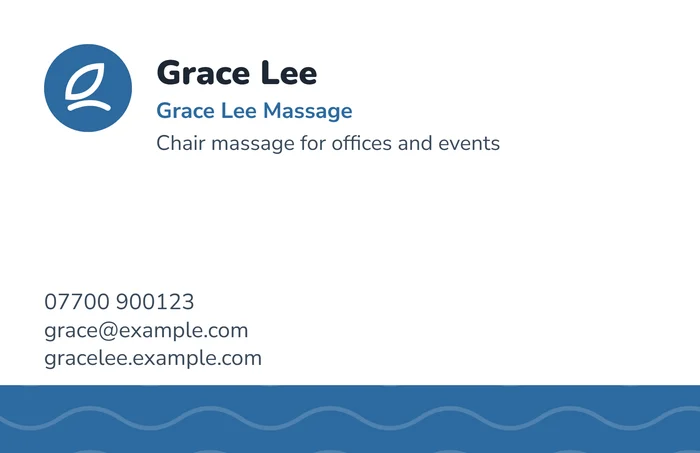
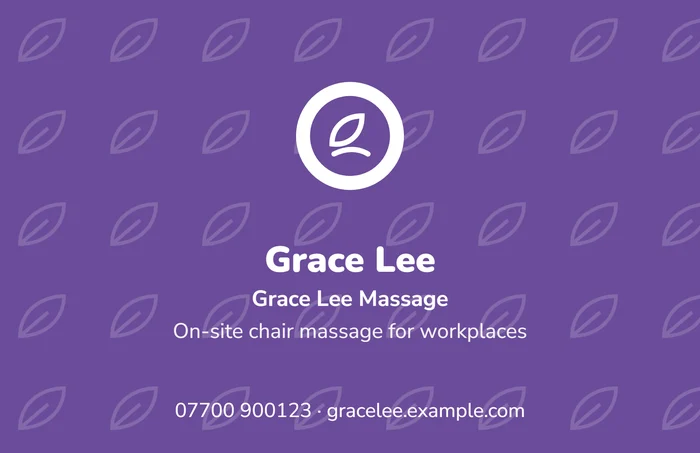
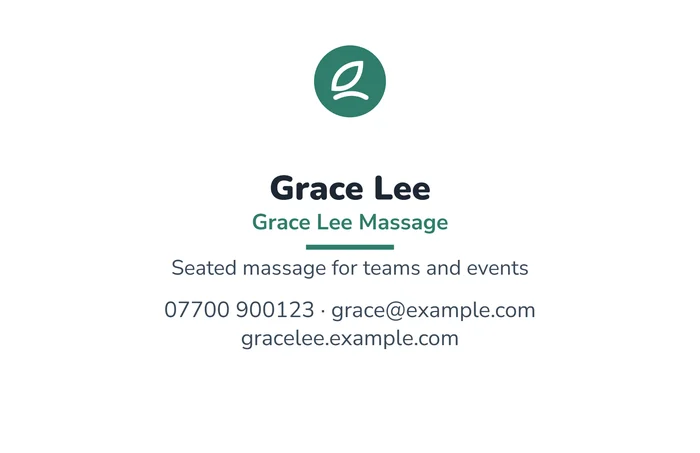
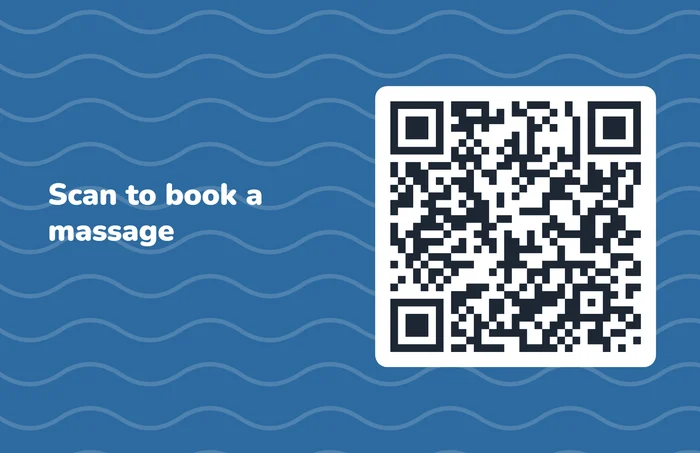
Here are four cards made with the maker, to give you a starting point. Change the colour, pattern and layout until it looks like you.
A few lines that work in the "What you do" box:
- Chair massage for offices and events
- On-site chair massage for workplaces
- Seated massage for teams, events and conferences
- Sports and remedial massage
- Mobile massage in [your town]
Massage appointment cards: choose "Appointment card" for the back, and you get lines to write each client's next booking on.
Why a QR code helps
Few people will type a web address from a card. A QR code lets them scan it with their phone camera and land on your website straight away, while they still remember you. On the back of the card, a line such as "Scan to book a massage" tells them what it's for.
- Point it at the page you want them on. Usually your website's home page or your booking page.
- Keep it big enough. QR code guides commonly give 2 × 2 cm as the smallest size for scanning close up [3]. The maker keeps it above that.
- Test it before you print. Scan the preview on your screen with your own phone, and again on the first printed card.
- If your web address changes, make a new card. The maker remembers your design on your device, so you only need to paste in the new address and download again.
If you'd rather not have a QR code, choose "Contact details" for the back instead. If you see private clients, "Appointment card" gives you lines to write their next booking on, and "Leave blank" makes a one-sided card.
Using your cards on an office day
- If an agency booked you, check before you hand out your own cards. Most agencies don't allow it with their clients, and your contract may say so. Hand out the agency's cards instead, or none.
- Keep a small stack by the chair. People often ask how to book you again or whether you do events, and a card answers both.
- Leave a few with the person who booked you. They're the one who'll be asked "who was that?" when someone wants to book you next.
- Don't leave them on every desk. Hand them to people who ask, or leave a few by the door. A card nobody asked for usually ends up in the bin. Ask your contact first whether it's OK to leave cards out.
- Bring more than you think you'll need for events and conferences, where lots of people pass by.
- Keep a few cards on you, in a pocket or your bag, so you can hand one over whenever someone asks.
- Bring the rest of your kit. Bring your consultation forms too, check your insurance covers on-site work, and see what to wear on an office day.
For the office day itself, a booking link does the job a sign-up sheet used to. With Onsite Days, each office gets one booking link, and staff pick their own slot from their phone. Our guide to organising chair massage bookings covers the rest.
Printing your cards
The maker gives you two PDFs for printing, one for a printer and one to print at home, and a picture (PNG) of the front for your email signature.
At a printer or online printer
- Use the printer PDF. It has the front and back at the standard UK size of 85 × 55 mm, with a 3 mm extra edge called a bleed. Printers ask for the bleed so the colour reaches the edge after cutting. Most ask for 3 mm [4], but some ask for less [5]. If your printer's size is slightly different, upload the file and check its preview, so nothing close to the edge is cut off. Upload the file as it is, and don't trim the extra edge off.
- Choose thicker card. Thin card feels cheap in the hand. 350gsm is a common standard, and 400gsm or more feels sturdier.
- Colours may print a little duller than on screen, as printers use different inks. If your colour matters, order a small batch first.
- Matt or gloss. Matt is easier to write on, if you like adding a note such as the date of your next visit. Gloss makes colours brighter.
- Cost. Prices change often, so check before you order. Basic cards from UK online printers usually cost tens of pounds for a few hundred, and two-sided or thicker cards cost more.
At home
- Use the print at home PDF. It puts 10 cards on an A4 page, with cut marks in the margins. Print it on plain white card, then cut along the marks with a paper trimmer, or a ruler and a craft knife.
- Check what card your printer takes. Many home printers only take card up to about 200 to 250gsm. Your printer's manual says how thick a card it can feed, and card that's too thick can jam.
- Print at actual size. In your printer settings, choose "Actual size" or "100%", not "Fit to page", or the cards will come out the wrong size.
- Print one test page on plain paper first. Check the cards look right before you use your card.
- Expect a little movement. Home printers are rarely perfectly aligned, so a design with colour to the edge may show a thin white line after cutting. The Simple design hides this best, as it has the least colour at the edges.
- Printing both sides at home is fiddly. If your printer doesn't print both sides automatically, print the fronts, turn the sheet over as your printer's instructions say, then print the backs. Or choose "Leave blank" in the maker for a one-sided card.
Design tips
- One colour is enough. Use your brand colour if you have one. The maker picks dark or white writing so it stays easy to read.
- Keep your logo clear. Use the logo size slider so it's easy to see without crowding your name.
- Leave space. A card with fewer words looks calmer, which suits massage.
- Check every detail. Read your phone number, email and website aloud before you print. A typo on 500 cards means ordering them again.
Quick checklist
- Your name and any letters, business name and what you do.
- No health claims beyond relaxation and wellbeing, and only titles you can use.
- One phone number, one email and your website.
- A QR code to your website, tested with your phone.
- The printer PDF for a printer, or the print at home PDF and plain A4 card.
- A small stack by the chair on every office day, and a few for the person who booked you, unless an agency booked you.
Common questions
What size is a business card in the UK?
85 × 55 mm. In the US it's 3.5 × 2 inches. The maker does both.
Can I say massage helps with back pain on my card?
It's safer not to. The ASA is likely to accept claims about relieving everyday stress, relaxation, sleep and wellbeing, but expects strong evidence, usually clinical trials, for anything more.
What should a sports massage business card say?
Say what you do and who it's for, such as "Sports and remedial massage for runners and cyclists". Leave off claims about treating injuries unless you have strong evidence, and only call yourself a physiotherapist if you're registered with the HCPC.
Can I print business cards at home?
Yes. Use the print at home PDF on plain A4 card, print at actual size and cut along the marks. Print a test page on plain paper first.
Is the card maker free?
Yes. There's no sign-up or email needed, and your details stay on your device.
This guide is general information, not legal advice. Check the ASA's guidance and your professional body's rules before you print.
Sources
- ASA and CAP: Therapies, massage and body work
- HCPC: The professions we regulate (protected titles)
- QR Code Generator: QR code minimum size guidelines
- Tradeprint: What is the average size of a business card?
- MOO: Business card design guidelines
Sources checked on 14 November 2026. Rules and prices change, so check the current versions.
Your card is downloading
Do you run chair massage days at offices?
Your card helps people find you again. Onsite Days helps the day itself run smoothly. Send each office one booking link, and staff pick their own slot.
- A tidy booking page instead of a sign-up sheet or email chain.
- Everyone gets a confirmation email, and on the paid plans a reminder before their slot.
- Add your logo and colours to the booking page on the paid plans.
Free for one office and one visit day a month. No card needed.